Word Serenity: Fun Brain Game
HI STUDIO LIMITEDWord
4.78.93K Reviews
- Version
- 8.3.0
- Installs
- 1.00M
- Age Rating
- Everyone
Screenshots
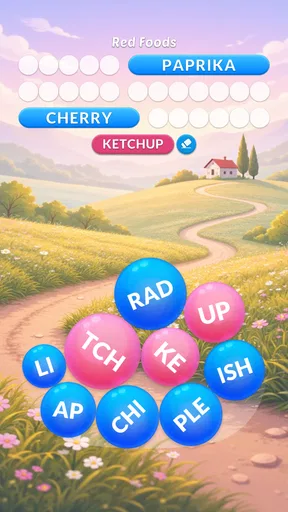
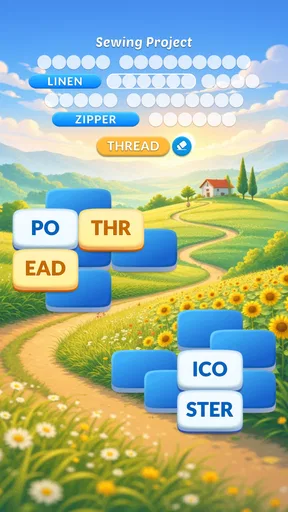
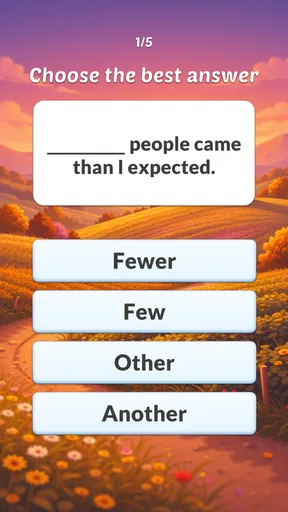
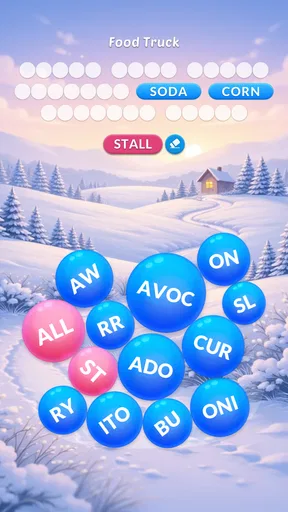
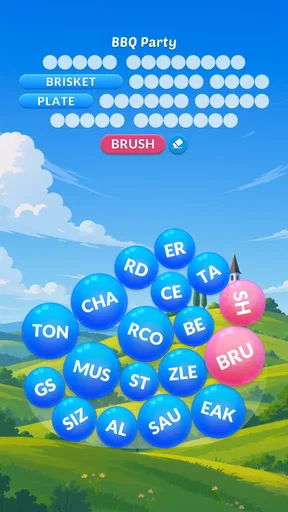
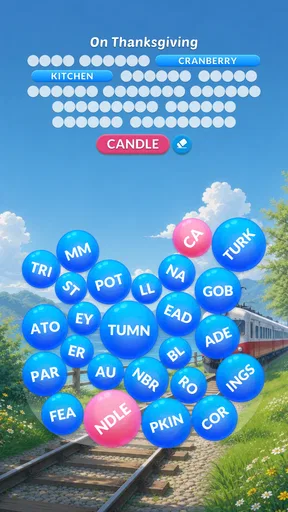
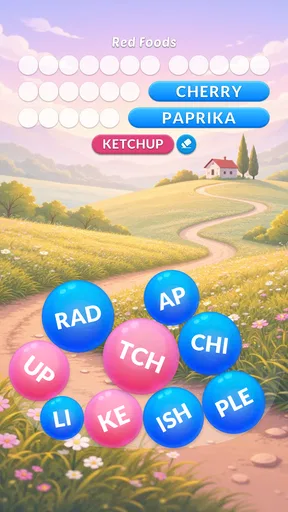
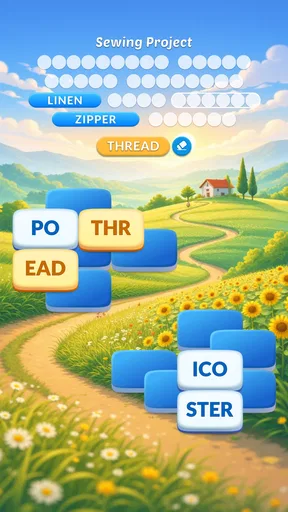
Our Review of Word Serenity: Fun Brain Game
 Analysis by Appyee
I tried Word Serenity: Fun Brain Game as the sort of puzzle that fits into the small gaps of a normal day rather than demanding a long, uninterrupted session. Its focus is simple: word-based play built around crossword and word-search puzzles, with a calm presentation that suits a quick break. I can imagine opening it while waiting for dinner, passing a phone around at home, or using it when I want something more active than scrolling but less intense than a competitive game.
That simplicity is also the main reason it works. I do not need to learn a complicated control system or remember a story from a previous session. I can look at the puzzle, search for words, and stop when I have had enough. At the same time, it is not a perfect fit for every word-game fan. Anyone looking for deep strategy, a serious vocabulary course, or a highly social multiplayer experience will probably find it limited. My impression is that this is best understood as a relaxed word game for casual solo use, especially when the goal is to keep the mind occupied without adding pressure.
How Word Serenity fits into a shared household
I find Word Serenity easiest to share when we treat it as a casual pass-the-device puzzle, not as a family game with separate turns or profiles. A useful household habit is to agree that the person who starts a puzzle gets first chance to finish it, while anyone else can ask before offering an answer. That keeps the relaxed mood intact and makes room for a different kind of shared play: comparing how each person approaches the same clue.
A game that can move between people without becoming a group account
One useful way to look at this game is as a shared-device activity. A phone or tablet in a household can become the place where one person solves a few clues in the morning, another searches a puzzle later, and someone else opens it during a quiet evening. Because the core activity is easy to understand, a family member does not need a long explanation before trying it. That makes it more approachable than many games that depend on personal progress, complex rules, or a competitive ranking.
However, shared use needs a little common sense. I would not treat one device as if it automatically creates separate player spaces. If several people use the same installation, I would agree beforehand on whether each person is simply playing for fun or whether progress and purchases belong to one person. That small conversation matters more than it might seem. A casual word puzzle can become irritating if somebody advances through a level, spends a hint resource, or changes the state that another player expected to find.
For a household, the strongest use case is informal turn-taking rather than organized competition. One person can point out a difficult word, another can search from a different angle, and the device can be handed over without anyone needing to understand a complicated interface. I like that this creates a low-pressure opportunity to talk, but I would still avoid presenting it as a fully coordinated family game. The experience is fundamentally built around individual puzzle solving, so the social element comes from the people sharing the screen, not from a confirmed team system inside the game.
Why the crossword and word-search mix changes the mood
Crossword-style puzzles and word searches ask for different kinds of attention. A crossword encourages me to think about meaning, spelling, and the relationship between a clue and a possible answer. A word search is more visual: I scan lines, patterns, and letter groupings until a familiar word appears. Moving between those formats helps prevent the experience from feeling like one repeated task, even though both belong to the same broad word-game category.
That difference is particularly helpful on a shared device. A person who enjoys clues may prefer one puzzle, while someone else may be more comfortable hunting through a letter grid. Instead of arguing over a single play style, household users can choose the kind of challenge that matches their mood. I also found that word searches are easier to hand to another person halfway through, while crossword solving benefits more from one player keeping track of the clues and possible answers.
My practical tip is to treat the two formats as different levels of mental energy. When I am tired, a word search gives me a visual task with an obvious short-term goal. When I want to think more carefully, the crossword format feels more satisfying because a correct answer usually depends on interpreting the clue rather than simply spotting a pattern. This is a small distinction, but it makes the game more useful during different parts of the day.
Setting boundaries before a child or guest starts playing
The game is marked for Everyone, which makes its general subject matter suitable for a broad audience. That does not mean I would hand over a shared device without any conversation. Age suitability and household readiness are not exactly the same thing. A younger player may understand the puzzles but still need help with unfamiliar vocabulary, while an older child may be able to play independently but require an adult to explain the rules around purchases and shared progress.
I would establish three simple boundaries before letting somebody else use it. First, decide whose turn it is and whether the player may continue an existing puzzle. Second, make it clear that spending money requires permission. Third, agree that a difficult clue can be discussed rather than solved by immediately using assistance. These are not special controls I am claiming the game provides; they are practical habits for using any casual game on a family device.
The purchase range is from $0.99 to $99.99 per item, so the free entry point should not be confused with an entirely cost-free household experience. I would check the device’s purchase protections and keep the payment conversation clear, particularly when children can access the screen. The game itself may be relaxing, but an unexpected transaction is not. For shared use, the adult’s setup choices around the device are just as important as the game’s age label.
Keeping personal progress and household expectations separate
One of the less obvious trade-offs with shared play is emotional ownership. Someone may feel that a puzzle is “theirs” because they started it, even if the device belongs to everyone. Another person may see an unfinished board and assume it is available. I recommend agreeing on a simple rule: either every puzzle is open to whoever uses the device, or players leave a note outside the game about what they want to finish. A paper note near a shared tablet can be more reliable than assuming the app will organize household turns for you.
This matters especially if one player enjoys solving without help. A well-meaning relative who reveals an answer can remove the satisfaction from the puzzle, even when the intention is friendly. In my experience, the best coordination is to ask before giving a clue and to distinguish between a hint and the complete answer. That preserves the game’s main pleasure while still letting the activity become collaborative when everybody wants it to be.
I would also avoid using one installation as a substitute for individual accounts unless the device and game clearly support the separation you need. The safe expectation is that a shared device may blend activity together. If progress, purchases, or personal preferences matter greatly, a privately used device is the cleaner arrangement. Word Serenity is easy to pass around, but easy access should not be mistaken for built-in household organization.
Trust, age context, and the right kind of supervision
The Everyone rating is reassuring for the tone of the content, but supervision still depends on the player rather than the label alone. A child who is learning English may need help understanding a clue, while a fluent adult may find the same puzzle too straightforward. For older relatives, the large-screen option on a tablet could make the letter grids more comfortable, although I would judge that from the device rather than assume the game offers special accessibility settings.
For a child, I would frame the game as a vocabulary and observation activity, not as a formal educational tool. Solving a clue can encourage careful reading, and finding words in a grid can reward patience, but casual play does not replace structured learning. That distinction keeps expectations realistic. It is a pleasant way to practice attention, yet a parent looking for lessons, progress reports, or curriculum-based exercises should choose an app designed specifically for those purposes.
Trust also includes knowing when not to intervene. If a player is enjoying a difficult puzzle, constant suggestions can turn a satisfying discovery into a supervised task. I prefer to ask whether they want help, then offer a category or a single letter rather than the full solution. This approach works well in a household because it respects the player’s ownership while allowing the game to become a shared conversation.
What the game feels like beside other word-game choices
Compared with a traditional crossword book, this game is more convenient because the device keeps the puzzle ready whenever I have a few minutes. A printed book, however, gives me clearer physical ownership, easier note-taking, and no concern about someone else changing the screen. I would choose the book for a quiet, deliberate solving session and the app for spontaneous play when carrying a pencil and puzzle book is inconvenient.
Compared with a daily word challenge, Word Serenity feels less dependent on a single result or a fixed routine. That is good when I want to play at my own pace, but it may feel less meaningful to people who enjoy discussing one shared puzzle with friends every day. Compared with a competitive word game, it is gentler and more private. The trade-off is that it offers less social tension and fewer reasons to return for a rivalry.
It also differs from a dedicated vocabulary trainer. The crossword side can make me think about definitions and spelling, while the word-search side exercises visual scanning, but neither format should be treated as a complete language-learning plan. If my goal were exam preparation, expanding vocabulary systematically, or measuring improvement, I would use a specialized learning tool. If my goal were to relax with words and keep my attention engaged, this game would be the more natural choice.
Small habits that make the puzzles more enjoyable
I found that rushing is usually counterproductive. In a word search, I get better results by scanning in an organized direction instead of jumping randomly around the grid. I might check horizontal lines first, then vertical lines, then diagonals. This is not a hidden game feature; it is a simple method that reduces visual clutter and makes the search feel less tiring, particularly on a smaller phone.
For crossword-style play, I prefer filling the answers I am most confident about before spending time on uncertain clues. Confirmed letters can narrow the possibilities and prevent me from forcing a word that only vaguely matches the clue. If the game offers assistance, I would regard it as something to reserve for genuine dead ends rather than a normal part of every puzzle. Using help too early can make the session shorter, but it also removes the reasoning that makes crossword play worthwhile.
A second useful habit is to stop before frustration takes over. Because the game is designed for casual sessions, there is little value in turning a relaxing activity into a test of endurance. I would leave a stubborn puzzle and return later, especially after working through several similar clues. A fresh look often helps more than repeatedly staring at the same letters, and this approach is particularly suitable for a household where another person may enjoy taking over a difficult board.
Finally, I would keep the sound and attention context in mind. A word game can look harmless while still pulling someone into a screen during a conversation, meal, or shared task. In my home, I would use it during agreed quiet time rather than letting it compete with activities that need everyone’s attention. That is a small boundary, but it helps preserve the game’s relaxing character instead of making it another source of interruption.
Performance expectations and the free-to-start model
The game is free to download and play at its entry point, which makes it easy to test without committing money first. Its current version is 8.3.0, and it runs on Android 7.0 or later. Those details make it accessible to people using older compatible Android devices, although the experience will still depend on the phone’s screen size, responsiveness, and available storage. I would try it on the intended shared device before deciding whether it is comfortable for everyone in the household.
The large range of optional item prices is the main point where I would slow down. A free game can be perfectly suitable for a child or guest when the device owner has already established purchase rules, but it becomes a poor choice for unsupervised shared use if nobody has checked those rules. I would also explain that a paid item may help with convenience rather than improving the player’s underlying word skills. The most satisfying sessions are still the ones where the player works through the clue or grid personally.
Its popularity suggests that the format has broad appeal: the game has passed one million installs, with a 4.7 average from about 29 thousand ratings and roughly 8.9 thousand written reviews. I see those figures as evidence that many people enjoy the basic concept, not as a guarantee that every player will like the pacing or vocabulary. Word-game preferences are personal. Some users want tougher clues, some want a daily ritual, and others simply want a calm activity that can be closed at any moment.
Who should choose it, and who should skip it
I would recommend it to someone who likes crossword and word-search puzzles but wants them available on a phone. It is especially suitable for short breaks, relaxed solo play, and informal household sharing where people are comfortable taking turns. It can also work for a player who enjoys switching between clue-based thinking and visual word hunting instead of committing to one format.
I would be more cautious about recommending it to a serious crossword enthusiast who expects carefully constructed, highly challenging puzzles. I would also point elsewhere for anyone seeking head-to-head matches, a strong social community, detailed learning analytics, or a clearly separated family profile system. The game’s appeal comes from its accessibility, so players who want complexity and control may find that same simplicity restrictive.
People who dislike in-app purchase models should make their decision with particular care. The free starting point is useful, but the presence of optional items means the device owner should manage expectations before sharing the game. I would not reject the app solely for that reason, yet I would not call it completely worry-free for a child’s unsupervised use. The right choice depends as much on the household’s purchase boundaries as on the puzzles themselves.
My household verdict after using it
Word Serenity works best when I treat it as a quiet, flexible word activity rather than a complete learning platform or a family board game in digital form. Its crossword and word-search combination gives different players a way into the experience, and the straightforward format makes passing a device around easy. I appreciate that it can fill five calm minutes without asking me to master a complicated system or keep up with other players.
My main reservation is not the basic puzzle idea but the need for clear household boundaries. Shared progress, turn-taking, help, and purchases should be discussed rather than assumed. The Everyone rating makes the subject matter broadly approachable, yet adults still need to match the game to each player’s reading ability and the device’s rules. Once those expectations are clear, it becomes a pleasant option for casual use.
HI STUDIO LIMITED has made a free word game that is easy to understand and broad enough to suit different moods. I would install it for a household that enjoys occasional puzzle solving and wants something gentler than a competitive game. I would skip it for a person searching for advanced crossword construction, formal vocabulary study, or built-in account separation. For the right player, the best reason to try it is its low-pressure mix of visual searching and clue solving: it gives a shared screen a simple purpose without demanding that every session become an event.
Verdict
Strengths of Word Serenity: Fun Brain Game
- Relaxing word puzzles with a calm, low-pressure atmosphere.
- Helpful hints make difficult levels approachable for most players.
- Short rounds fit well into quick breaks or daily play sessions.
- Gradual difficulty provides a satisfying sense of progression.
- Offline play is convenient when traveling or without mobile data.
Limitations of Word Serenity: Fun Brain Game
- Some puzzles may feel repetitive after extended play sessions.
- Hint availability can become limited without watching ads or spending currency.
- The tranquil presentation may feel too slow for players seeking fast action.
- Later levels can rely on obscure or less familiar word combinations.
- Frequent advertising may interrupt the flow for free users.
Other Releases by HI STUDIO LIMITED
View All
Word Carnival - All in One
Word4.6
Similar Picks in This Category
View All
Word Search - Word Puzzle Game
Bluetile4.8

Word Search Quest - Puzzles
Blackout Lab4.8

CodyCross: Crossword Puzzles
Fanatee, Inc.4.7

Words of Wonders: Crossword
Fugo Games4.9

Wordscapes: Word puzzle game
PeopleFun4.7

Word Search Explorer
PlaySimple Games4.9
Frequently Asked Questions
What is Word Serenity: Fun Brain Game?
Word Serenity: Fun Brain Game is a relaxing word puzzle designed to combine vocabulary challenges with a calm, casual presentation. Players generally solve letter-based puzzles by finding or arranging words, progressing through levels that gradually become more demanding. Its peaceful theme makes it suitable for short breaks, although the difficulty can increase enough to provide a meaningful challenge for regular puzzle-game fans.
How do you play Word Serenity: Fun Brain Game?
The main gameplay revolves around identifying words from the letters or clues presented on the screen. You tap, swipe, or select the available letters according to the puzzle’s instructions, then submit your answer to advance. Early stages are useful for learning the mechanics, while later puzzles require a broader vocabulary, careful observation, and sometimes creative thinking when the most obvious answer is not correct.
Can Word Serenity: Fun Brain Game be played offline?
Many of the core word puzzles may be playable without a continuous internet connection, which is convenient for travel or areas with limited service. However, features such as advertisements, rewards, cloud synchronization, special events, or certain updates may require access to the internet. Because offline availability can vary between versions and devices, it is best to test the game after installation before relying on it completely without a connection.
Is Word Serenity: Fun Brain Game free to download and play?
The game is typically available as a free download, allowing users to try its basic puzzles without paying upfront. Like many free mobile games, it may include advertisements, optional purchases, or paid items connected with hints, extra resources, or removing ads. You can usually make progress without spending money, but players who want uninterrupted play or faster assistance may encounter optional monetization features.
Is Word Serenity: Fun Brain Game suitable for children and adults?
Word Serenity can be appropriate for both adults and older children who enjoy vocabulary games, but suitability depends on reading ability, language level, and the device’s store rating. Some later puzzles may use less familiar words or require stronger spelling skills. Parents should also review advertising, in-app purchase, and privacy settings before allowing younger players to use the application independently.
Play our best games!


